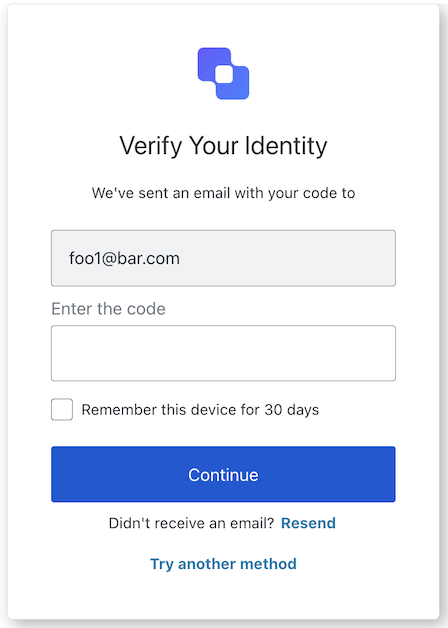
The MfaEmailChallenge class implements the mfa-email-challenge screen functionality. This screen is shown when a user needs to verify their email during MFA.
This method submits the action to pick a different Email configuration, if available.
Example
Report incorrect code
Copy
Ask AI
import MfaEmailChallenge from '@auth0/auth0-acul-js/mfa-email-challenge';const mfaEmailChallenge = new MfaEmailChallenge();await mfaEmailChallenge.pickEmail();
import MfaEmailChallenge from '@auth0/auth0-acul-js/mfa-email-challenge';const mfaEmailChallenge = new MfaEmailChallenge();await mfaEmailChallenge.resendCode();
This method allows the user to try another MFA method.
Example
Report incorrect code
Copy
Ask AI
import MfaEmailChallenge from '@auth0/auth0-acul-js/mfa-email-challenge';const mfaEmailChallenge = new MfaEmailChallenge();await mfaEmailChallenge.tryAnotherMethod();